News Rewix Mint
The main innovation visible to users introduced with the new version of Rewix Mint is the use of the Java development framework Vaadin. The major new features include:
- graphical administration panel (dashboard)
- a new menu to group all entries
- new CMS functionalities, organizable also in blog mode
New dashboard
The new dashboard is organized in a more functional way.
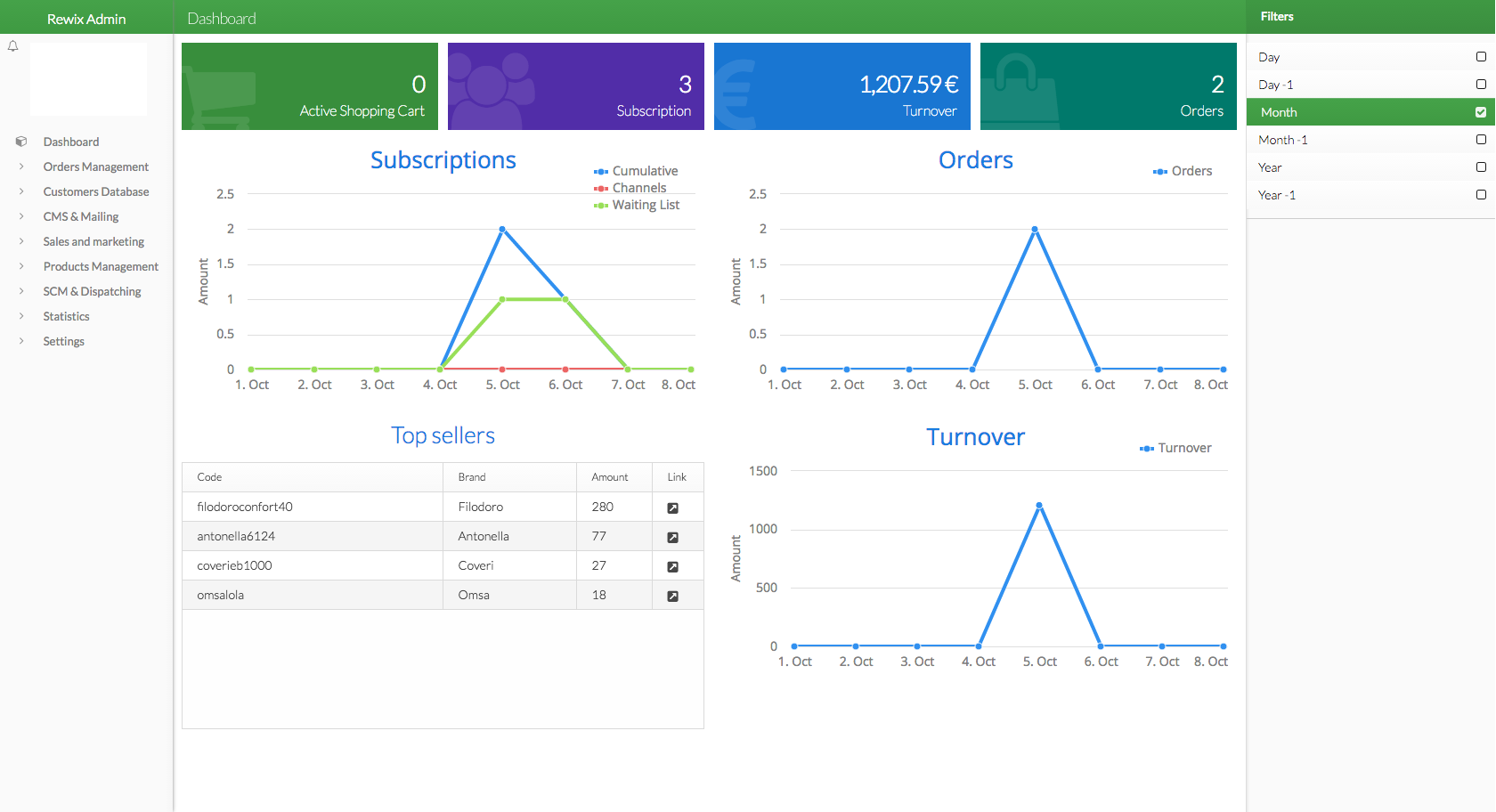
Top: shows at a glance the main business parameters. The parameters monitored are:

- Active Shopping Cart: the number of currently active carts
- Subscription: the subscriptions number carried within the selected period
- Turnover: sales in local currency within the selected period
- Orders: the number of orders in the range of time selected
Graphics: it allows to graphically analyze the key sales parameters. The data analyzed are:
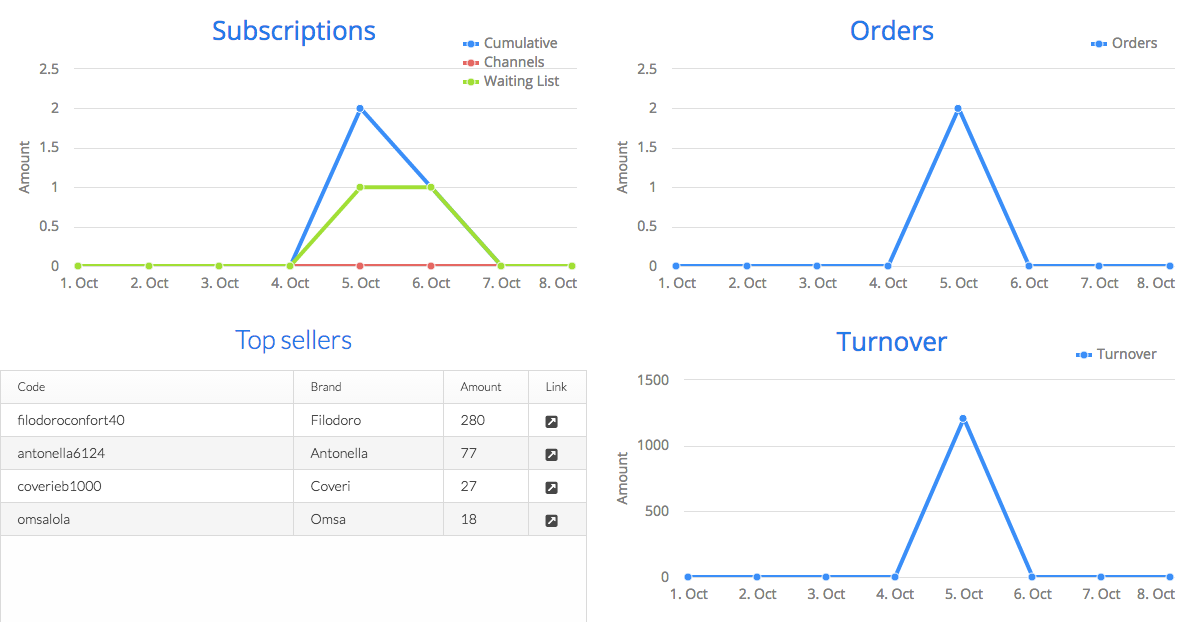
- Subscription: the graph with the trend of subscritions
- Orders: the chart with the trend in orders
- Turnover: the graph with the trend of the turnover
- Top Sellers: the table with the best-selling products
Filter: allows a filtered research. The parameters to be set are:
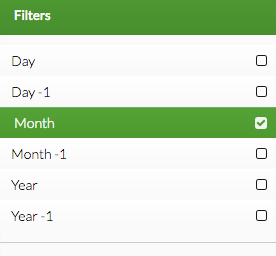
- Day: the current day
- Day -1: the previous day
- Month: the current month
- Month -1: the previous month
- Year: the current year
- Year -1: the previous year
New menu
The main menu items have been completely reorganized.
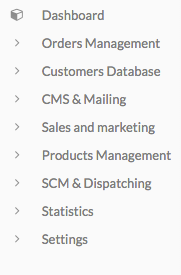
The correspondences between the Rewix Mint menu entries with the previous version are the following:
| Previous Version Item |
Subitem |
Current Version Item |
Subitem |
||
|---|---|---|---|---|---|
| Dashboard | Dashboard | ||||
| Orders | ➜ | Orders | Orders Management | ➜ | Orders |
| Orders | ➜ | Return Reqs | Orders Management | ➜ | Return Reqs |
| Orders | ➜ | To Suppliers | SCM & Dispatching | ➜ | To Suppliers |
| UserBase | ➜ | Users | Customers Database | ➜ | Users |
| UserBase | ➜ | Channels | Sales and marketing | ➜ | Channels |
| UserBase | ➜ | Friends | Sales and marketing | ➜ | Friend get friend |
| Money-Off | ➜ | ECredit | Sales and marketing | ➜ | Ecredit * |
| Money-Off | ➜ | Vouchers | Sales and marketing | ➜ | Voucher * |
| CMS & Mailing | ➜ | CMS & Mailing | ➜ | ||
| CMS & Mailing | ➜ | CMS | CMS & Mailing | ➜ | CMS * |
| not available | CMS & Mailing | ➜ | CMS Type * | ||
| CMS & Mailing | ➜ | Newsletter | CMS & Mailing | ➜ | Newsletter |
| Shop | ➜ | Products | Products Management | ➜ | Products |
| Shop | ➜ | Temporary sales | Sales and marketing | ➜ | Temporary Sales |
| Logistics | ➜ | Lots | SCM & Dispatching | ➜ | Lots |
| Logistics | ➜ | Suppliers | SCM & Dispatching | ➜ | Suppliers |
| Logistics | ➜ | Warehouses | SCM & Dispatching | ➜ | Warehouses |
| Logistics | ➜ | Load/Unload | SCM & Dispatching | ➜ | Load/Unload |
| Logistics | ➜ | Multi-Logistics | Settings | ➜ | Logistics Users |
| Logistics | ➜ | Dispatching | SCM & Dispatching | ➜ | Shipping |
| Statistics | ➜ | General | Statistics | ➜ | General |
| Statistics | ➜ | Stock | Statistics | ➜ | Stock |
| Tools | ➜ | Batch Import | Products Management | ➜ | Batch Import |
| Tools | ➜ | Remote Suppliers | Products Management | ➜ | Remote Suppliers Import |
| Tools | ➜ | Intrastat | Settings | ➜ | General settings |
| Tools | ➜ | AD HOC Invoices | Settings | ➜ | General settings |
| Tools | ➜ | Print Invoices | Settings | ➜ | General settings |
| Settings | ➜ | Payment Gateway | Settings | ➜ | Payment Gateway |
| Settings | ➜ | Platforms | Settings | ➜ | Platform |
| Settings | ➜ | Sequence Groups | Settings | ➜ | Sequence Groups |
| Settings | ➜ | Countries | Settings | ➜ | Countries |
| Settings | ➜ | Carriers | SCM & Dispatching | ➜ | Carriers |
| Settings | ➜ | Currencies | Settings | ➜ | Currencies |
| Settings | ➜ | Size Tables | Settings | ➜ | Size Tables |
| Settings | ➜ | Tags | Settings | ➜ | Tag Editor |
| Settings | ➜ | Change super password | Settings | ➜ | General settings |
| not available | Settings | ➜ | Vat System Rules | ||
| Front-end | non disponibile | ||||
| Logout | User profile popup menu | ➜ | Sign out |
The fields marked with * require special permission, they may not be visible in the menu to all users